
Cool AI Image Prompts for Aesthetic & Trending Art
As AI image generation technology advances into 2026, the secret to creating world-class art no longer lies in the tools themselves, but in the mastery of the prompt. Whether you are using Midjourney v6, DALL-E 3, or Stable Diffusion XL, the way you describe lighting, lens physics, and artistic texture determines if your result looks like a blurry amateur sketch or a 4K cinematic masterpiece.
In this comprehensive guide, we have curated the most aesthetic AI art ideas that are currently trending. From the high-contrast reflections of neon cyberpunk streets to the soft, warm pastels of cottagecore dreamscapes, these prompts are engineered to extract the maximum detail from neural networks. We have tested each of these across multiple models to ensure they deliver consistent, high-fidelity results.
Why These AI Image Prompts Create Stunning Results
📸Technical Precision
Most AI generators default to a 'flat' look. Our prompts include specific camera settings like 85mm lenses or volumetric fog to force the AI into rendering depth and realistic lighting shadows. This is critical for achieving that high-end photography aesthetic.
✨Aesthetic Anchoring
We use 'anchoring keywords' such as pastel color grading or Unreal Engine render style. These guide the AI's internal latent space toward high-quality, pre-trained datasets, significantly reducing the chance of artifacts or incoherent shapes.
Best Cool AI Image Generation Prompts
.png)
1. Aesthetic Street Portrait (Urban Cool)
Why it works
Neon + rain = cinematic mood. 85mm lens = portrait perfection. Texture detail = realism boost.
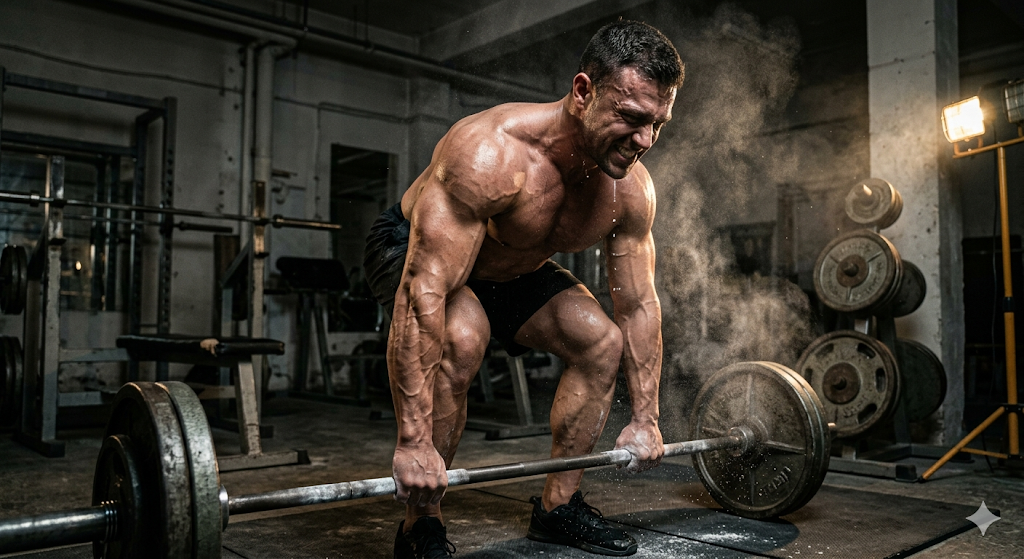
2. Bodybuilder Gym Shot
Why it works
Sweat + veins = realism. Side lighting = muscle definition. Action shot = dynamic energy.
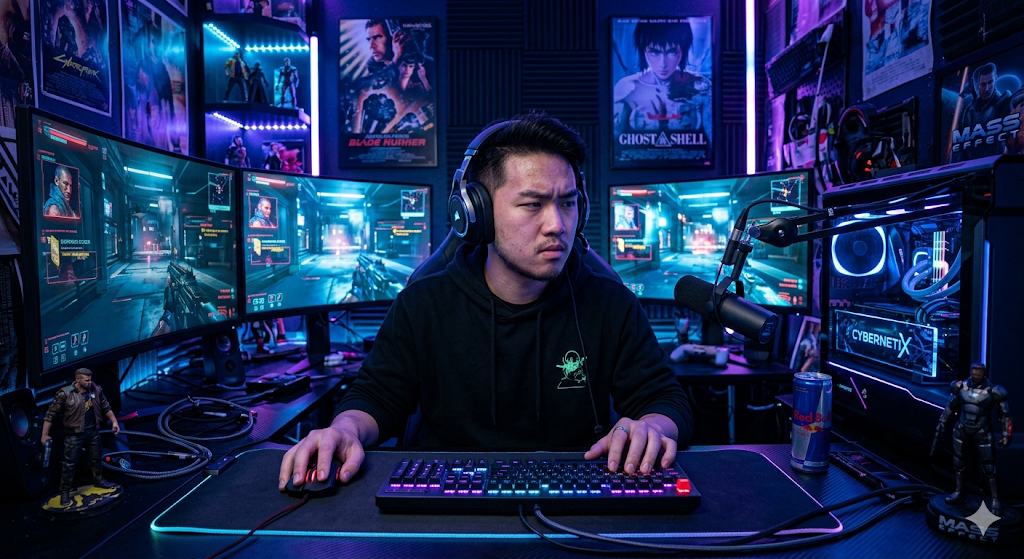
3. Gaming Setup Pro Player
Why it works
RGB lighting = gaming aesthetic. Focused expression = storytelling. Dark + neon = modern vibe.
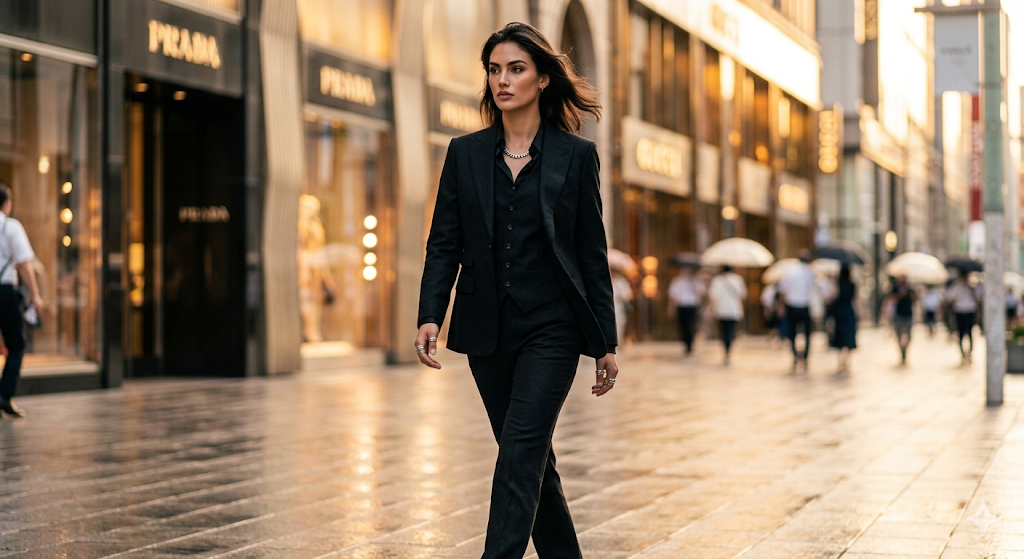
4. Luxury Fashion Model
Why it works
Golden hour = premium feel. Fashion + movement = elegance. Magazine style = realism + class.
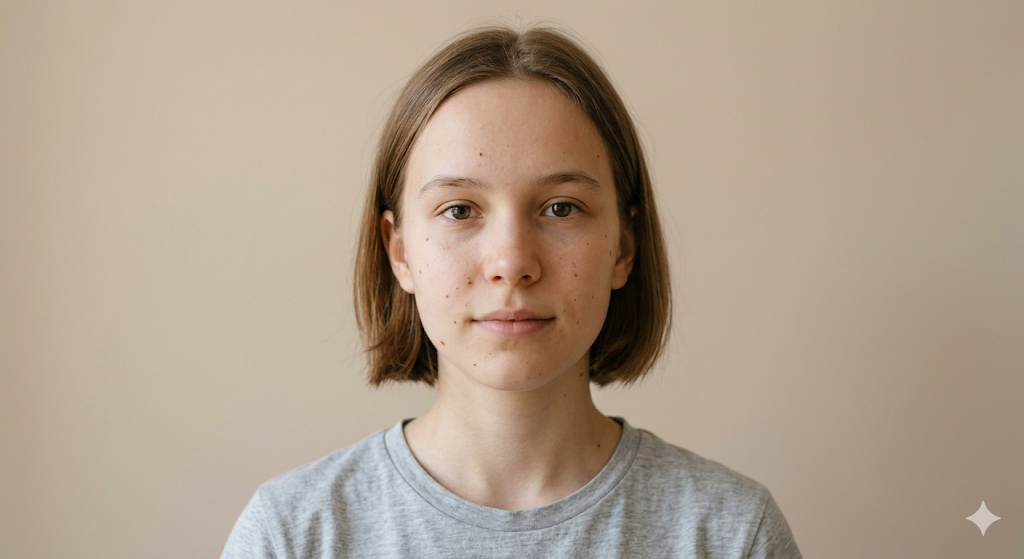
5. Minimalist Aesthetic Portrait
Why it works
Simplicity = aesthetic. Imperfections = realism. Neutral tones = modern look.
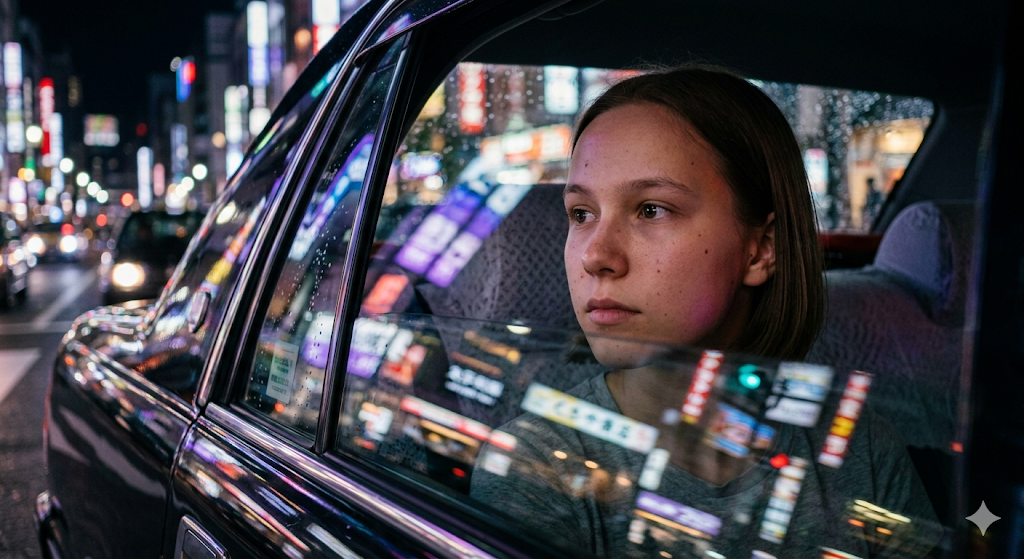
6. Night Drive Vibes
Why it works
Reflections = realism. Mood lighting = emotion. Close framing = immersive.
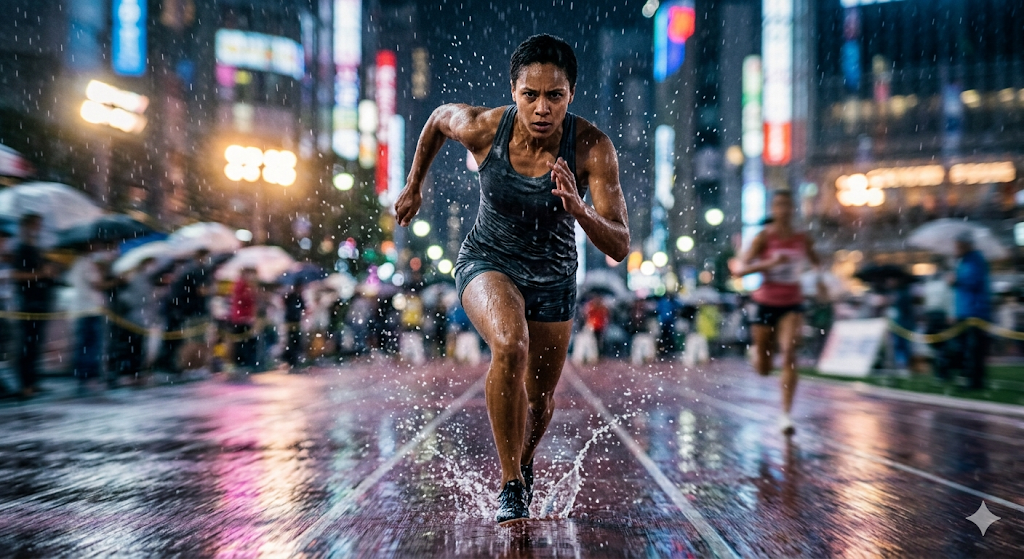
7. Athlete Running in Rain
Why it works
Rain = dynamic realism. Motion blur = speed. Expression = intensity.
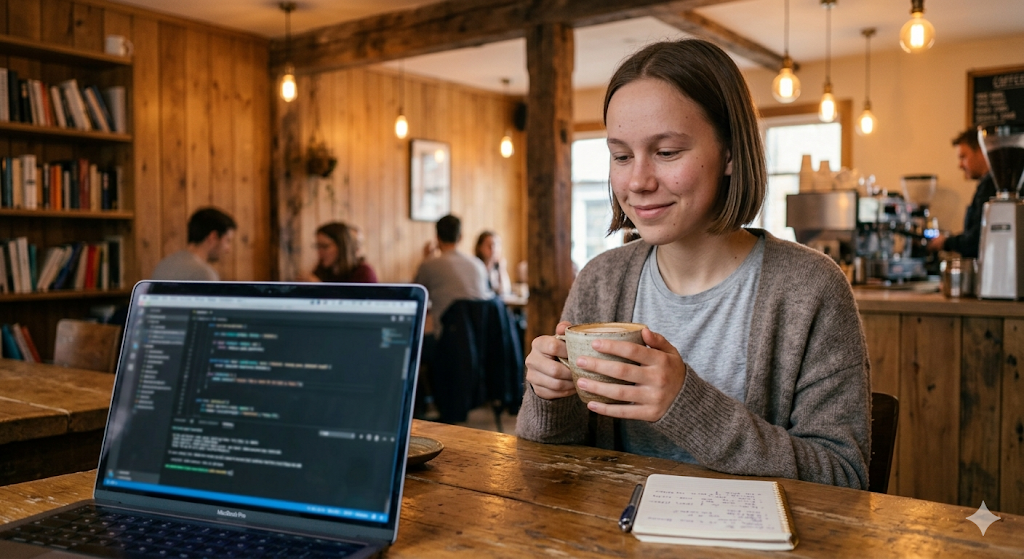
8. Coffee Shop Chill Aesthetic
Why it works
Warm lighting = comfort. Lifestyle scene = relatable. Soft blur = depth.
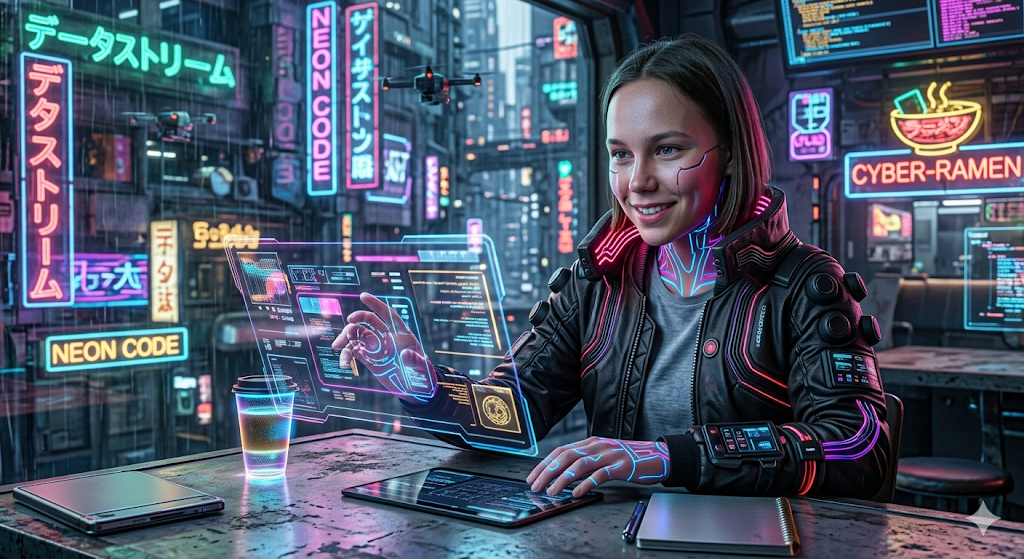
9. Cyberpunk Character Portrait
Why it works
Neon + tech = cyberpunk. Glow elements = futuristic feel. Sharp details = high quality.
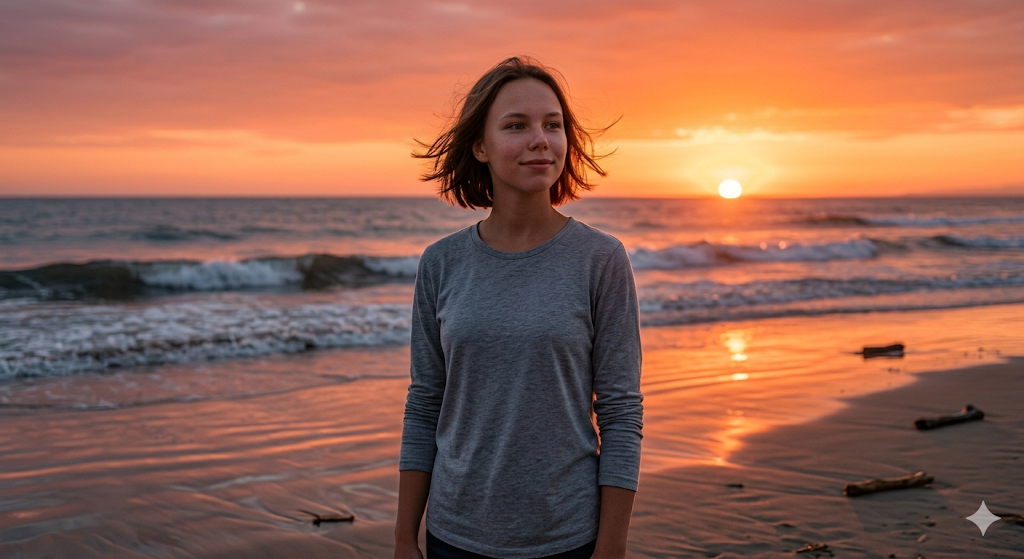
10. Calm Beach Sunset Portrait
Why it works
Sunset = emotional tone. Natural elements = realism. Soft wind = movement.
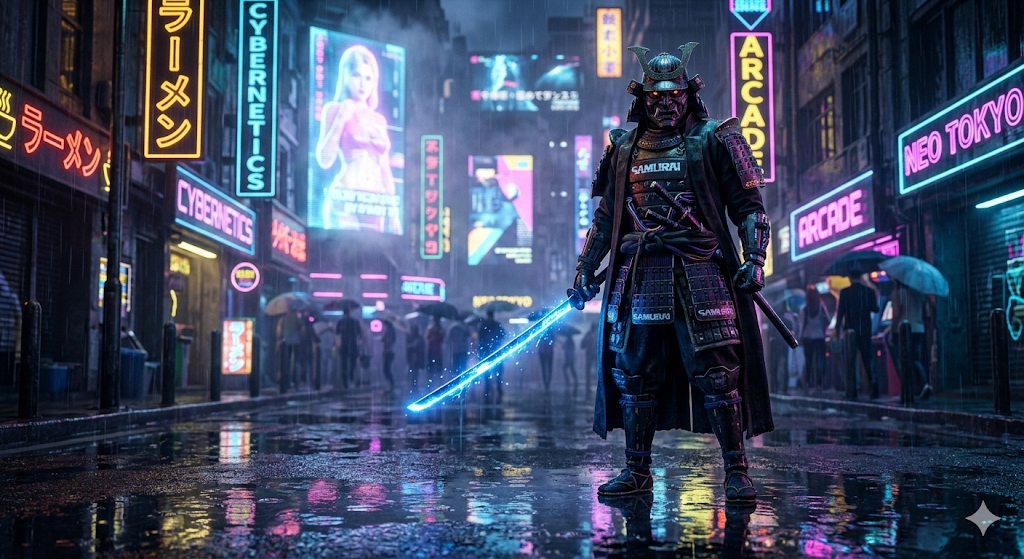
11. Cyberpunk Samurai Portrait
Why it works
This prompt leverages high-contrast neon lighting and environmental reflections to create a dense, atmospheric scene. The '85mm lens' and 'shallow depth of field' directives ensure a professional portrait look with a creamy background blur that makes the subject pop.
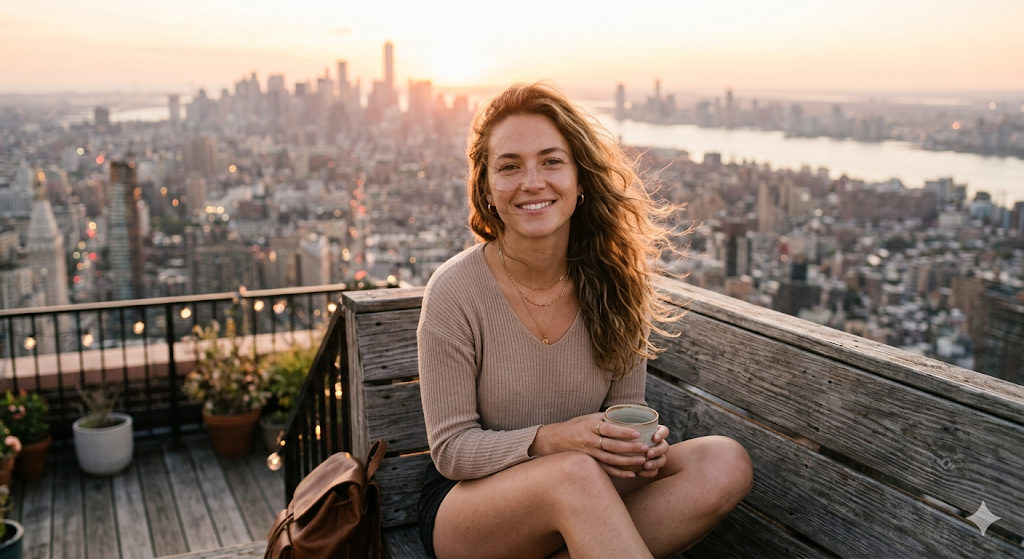
12. Golden Hour Rooftop Girl Aesthetic
Why it works
Perfect for Midjourney and DALL-E 3, this prompt focuses on the 'Golden Hour' lighting to create a warm, inviting glow. The inclusion of 'natural skin texture' prevents the AI from over-smoothing faces, resulting in a more authentic photograph.
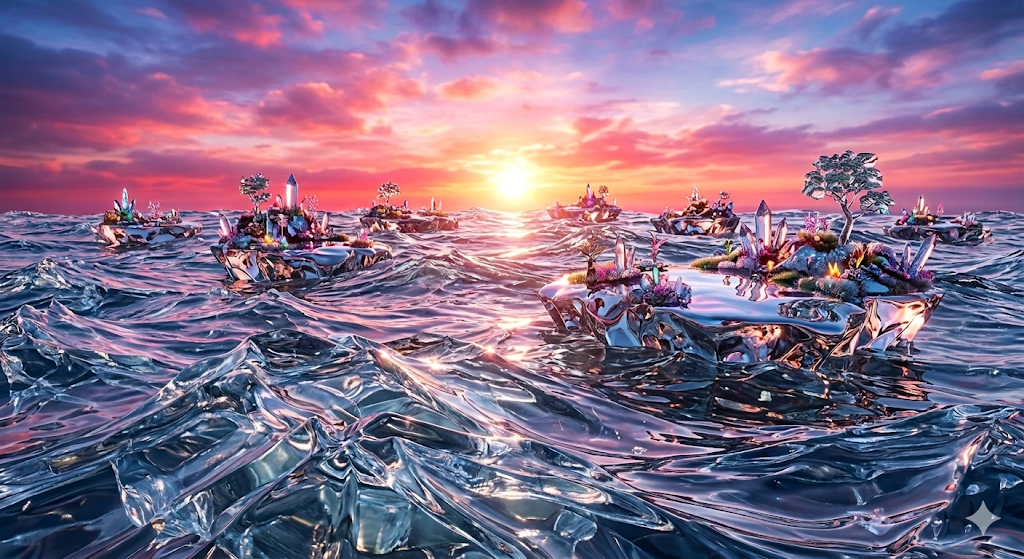
13. Glass Ocean Dream Scene
Why it works
A masterclass in surrealism. By replacing water with 'glass waves', you get unique refractive properties. The pink and orange gradients provide a complementary color scheme that is highly pleasing for desktop wallpapers.
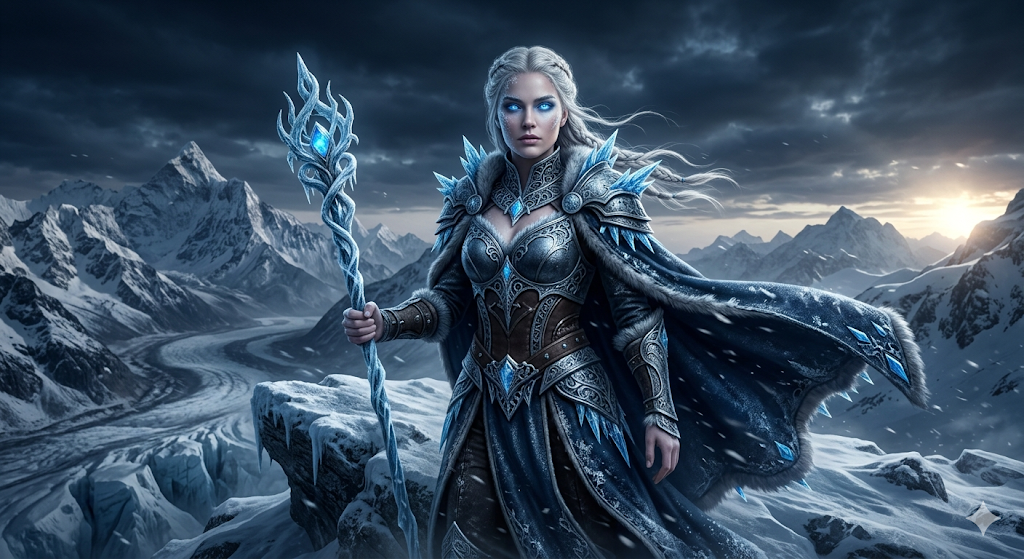
14. Ice Queen Fantasy Character
Why it works
This prompt uses 'intricate frost armor' and 'snow particles' to add micro-details that AI models love to render. The 'dark cinematic tone' ensures the image doesn't look too bright or flat, maintaining a sense of power and mystery.
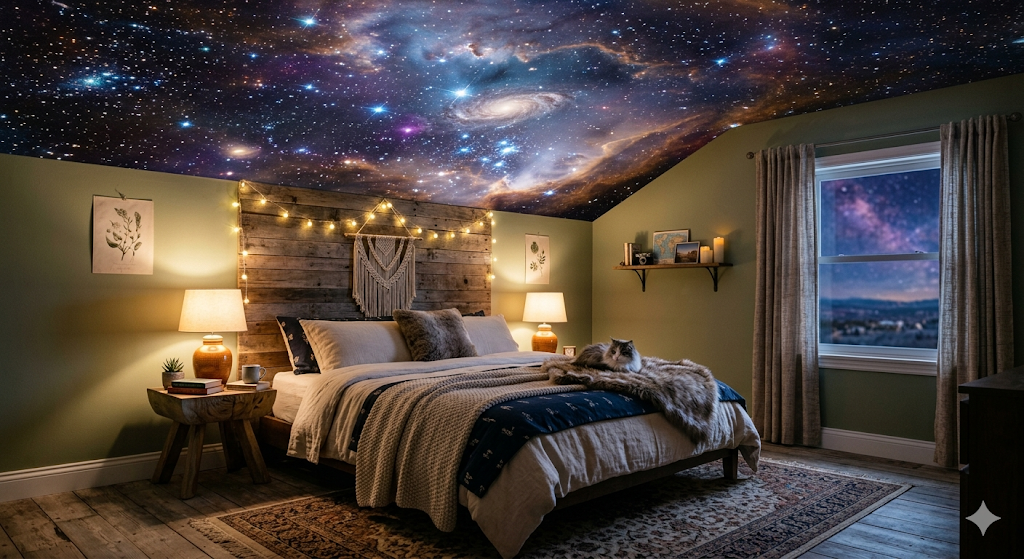
15. Galaxy Inside a Room
Why it works
Combining the mundane (a bedroom) with the cosmic (a nebula) creates a jarring yet beautiful juxtaposition. The '35mm lens' provides a wider field of view, capturing the scale of the galaxy ceiling against the room's intimacy.
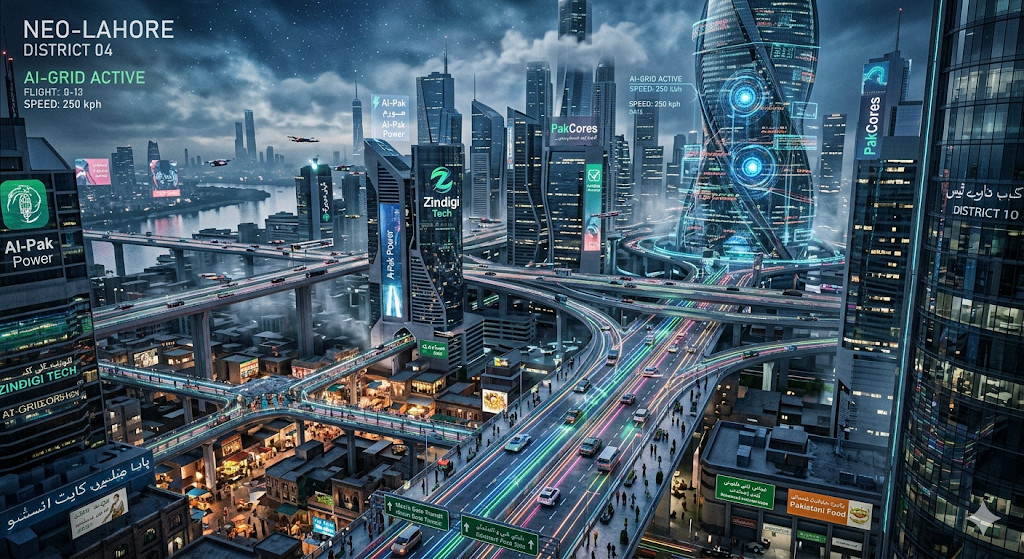
16. Futuristic AI City 2050
Why it works
This vision of the future heavily relies on 'volumetric lighting' to add depth between buildings. It's an excellent prompt for testing the complex architectural capabilities of modern AI image generators.
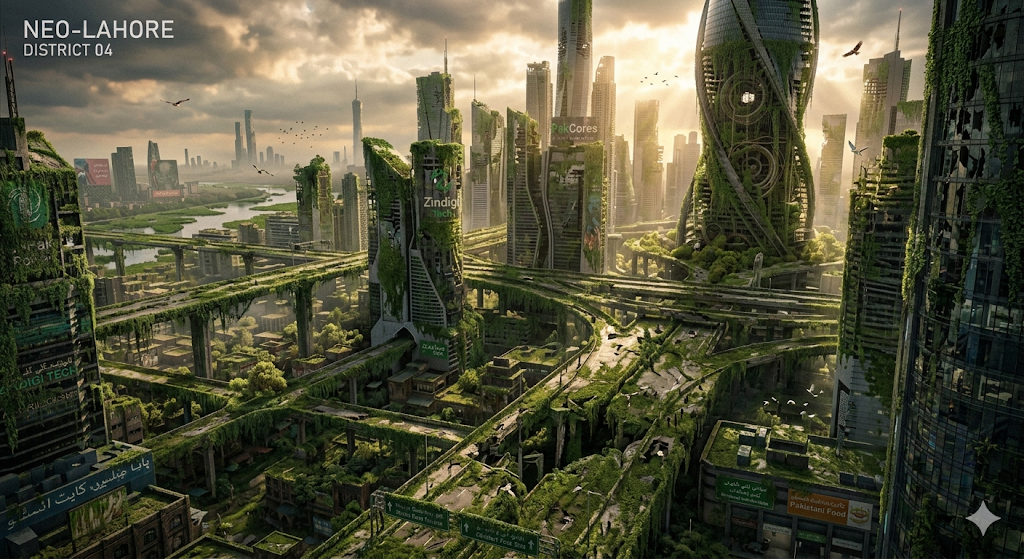
17. Nature Reclaiming a City
Why it works
Unlike dark post-apocalyptic scenes, this one focuses on 'peaceful' and 'sunlight breaking through'. It results in a lush, green, and hopeful aesthetic that stands out in the genre.
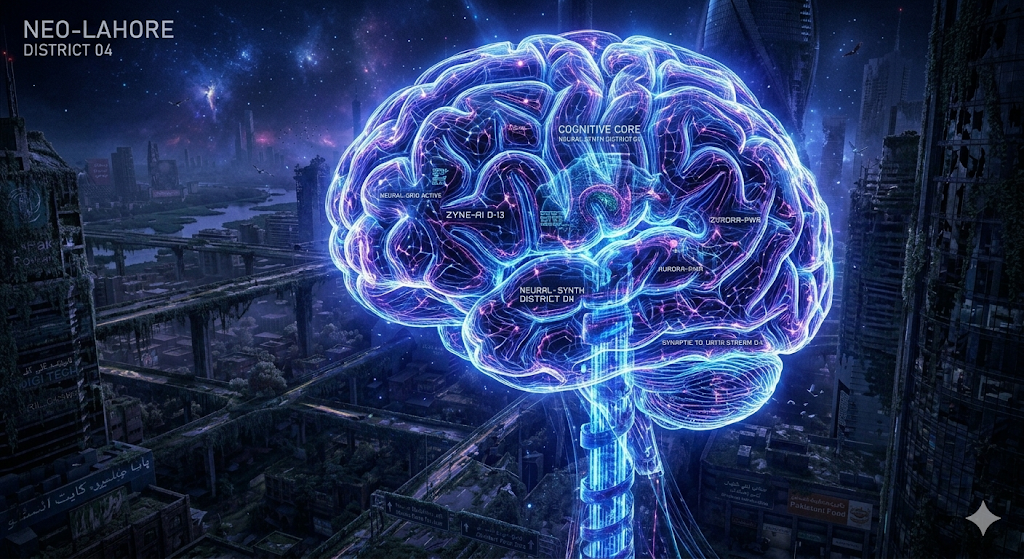
18. Human Brain Made of Light
Why it works
Ideal for technology blogs or headers, this prompt creates a clean, abstract representation of intelligence. The 'blue and purple' palette is the industry standard for AI-themed visuals.
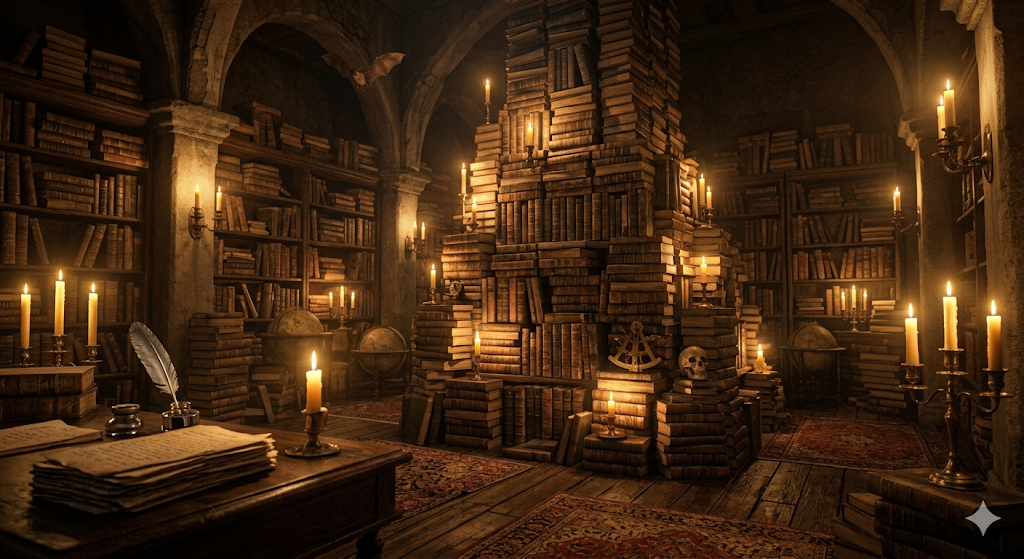
19. Dark Academia Library Scene
Why it works
The 'Dark academia' tag brings in specific textures like leather-bound books and dark mahogany wood. 'Candlelight illumination' creates a soft, flickering light effect that AI models handle beautifully.
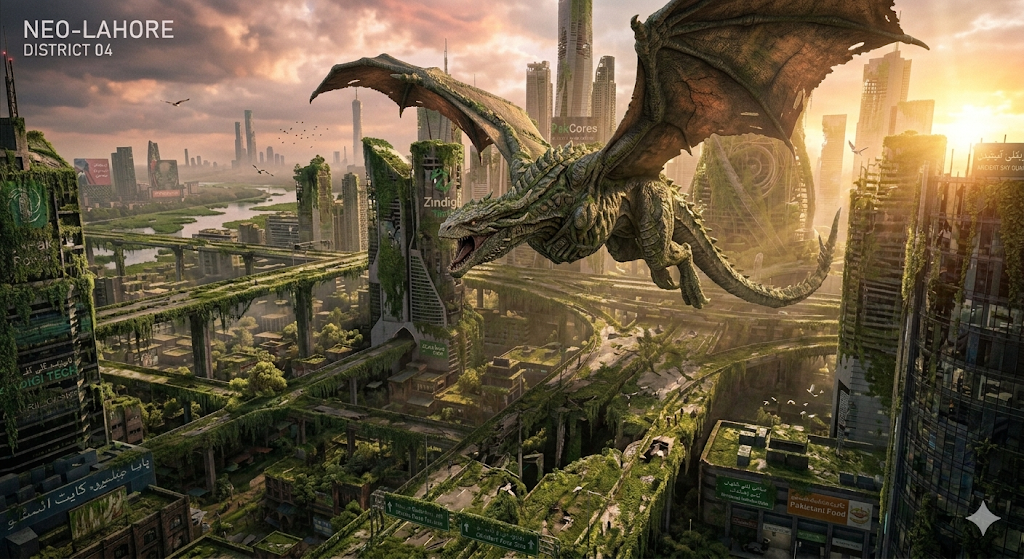
20. Dragon Over Modern City
Why it works
A high-complexity scene that tests the AI's ability to scale subjects. The 'volumetric lighting' and 'sunset' sky help integrate the fantasy dragon into the realistic city environment.
Mastering the Art of Aesthetic AI Prompting
Understanding how to write cool AI image prompts is more than just stacking keywords. It requires an understanding of how AI "sees" language. In 2026, the complexity of models like Midjourney and Stable Diffusion has increased, making them more sensitive to the order and weight of your words.
1. Start with the Subject
The first 5-10 words of your prompt carry the most weight. Always specify exactly what the focal point of the image is. Instead of "a cat in a hat," try "hyper-realistic close-up of a blue Russian cat wearing a Victorian top hat."
2. Set the Environment
Where is the action taking place? Is it a neon-lit Tokyo street or a minimalist tropical island? The environment provides the context for reflections and ambient lighting. If you don't specify an environment, the AI might choose a generic white background, which often looks unfinished.
3. Choose Your Lighting
Lighting is the difference between a bad render and a cinematic masterpiece. Use terms like Golden Hour for warmth, Cyberpunk Neon for vibrant contrasts, or Cinematic Rim Lighting to add a glowing outline around your subject. Lighting defines the mood and professional level of your generated art.
4. Technical Specs & Camera Gear
If you want your AI art to look like a photo, use terminology from real-world photography. Mentioning an 85mm lens will create natural background blur (bokeh) that is perfect for portraits. Using wide-angle lens will give you those epic, expansive mountain sunrise shots.
Ready to explore the tools that power these prompts? Check out our Best Foundation Models guide or compare different technologies on our AI Tool Comparisons page.
Frequently Asked Questions
What are the best AI image prompts?
The best AI image prompts are those that include specific artistic styles, lighting conditions, and technical camera settings. For 2026, trending prompts focus on 'Golden Hour', 'Cyberpunk Aesthetics', and '8K Photorealism'. Inclusion of lens types (like 85mm) and render engines (like Unreal Engine 5) significantly improves results in Midjourney, DALL-E 3, and Stable Diffusion.
How do I write aesthetic AI prompts?
To write aesthetic prompts, use sensory adjectives and specific color palettes. Terms like 'pastel color grading', 'soft bokeh', and 'volumetric lighting' help define the mood. Always separate your subject from your environment and lighting in the prompt structure to give the AI clear instructions.
Do these prompts work for Midjourney?
Yes, these prompts are optimized for Midjourney v6 and later. They also work exceptionally well with DALL-E 3 and Stable Diffusion XL. For Midjourney, you can append parameters like --ar 16:9 or --v 6.0 to further refine the output.
How to create 4K AI art?
Creation of 4K AI art starts with high-resolution keywords like '8K resolution', 'ultra-detailed', and 'sharp focus'. However, most AI models generate at lower resolutions. To achieve true 4K quality, you should use an AI upscaler like Gigapixel AI or the built-in upscalers in tools like Leonardo.ai after generating the initial image.
What makes a prompt cinematic?
A prompt becomes cinematic when it references cinematography techniques. Keywords like 'anamorphic lens', 'low-angle shot', 'rim lighting', and 'teal and orange color grade' tell the AI to simulate a big-budget movie frame rather than a casual snapshot.
Stay Ahead of the
AI Intelligence Curve
Creating amazing art is just one part of the AI revolution. See where you stand in the modern world with our comprehensive AI IQ Test.
Start AI IQ Test Now →